LinkedIn API Integration
LinkedIn, from inside WittiGrow
WittiGrow is an AI marketing platform for small businesses. We use the LinkedIn API and Community Management API so our customers can publish to their personal profile, Company Pages, and Showcase Pages from a single dashboard.
What we use the API for
- Profile sign-in — verify the LinkedIn member and read their name and avatar via Sign In with LinkedIn (OpenID Connect).
- Personal posts — publish member-authored posts to their own LinkedIn feed.
- Company Page posts — publish to any Company Page on which the member is an Administrator.
- Showcase Page posts — publish to any Showcase Page on which the member is an Administrator.
- Page discovery — list the Company and Showcase Pages the member administers, so they can pick which page each post goes to.
OAuth scopes
openid,profile,email— Sign In with LinkedIn; we use these to identify the member and display their name in the dashboard.w_member_social— required to publish a post on behalf of the member to their personal feed.r_organization_admin— required to list the Company and Showcase Pages the member administers, so the page selector can display them.w_organization_social— required to publish a post on behalf of a Company or Showcase Page the member administers.
We do not request Messaging, Recruiter, Sales Navigator, Learning, or Ads-related scopes. The member sees the full scope list on LinkedIn's consent screen before granting access.
What we store
- OAuth access and refresh tokens (Firestore, encrypted at rest)
- The member's LinkedIn person URN and display name
- The list of Company and Showcase Page URNs the member administers, plus their names — used to populate the page selector
- The post URN of every post WittiGrow publishes (for reporting in the customer dashboard)
We never store the member's connections, messages, or any data outside the granted scopes. Members can disconnect at any time; on disconnect we delete the tokens and stop calling the API.
How members connect
From the WittiGrow dashboard, under Settings → Platform Connections, the member clicks Connect next to LinkedIn. They are taken to LinkedIn's standard OAuth consent screen, where they review the scopes and authorize the app.
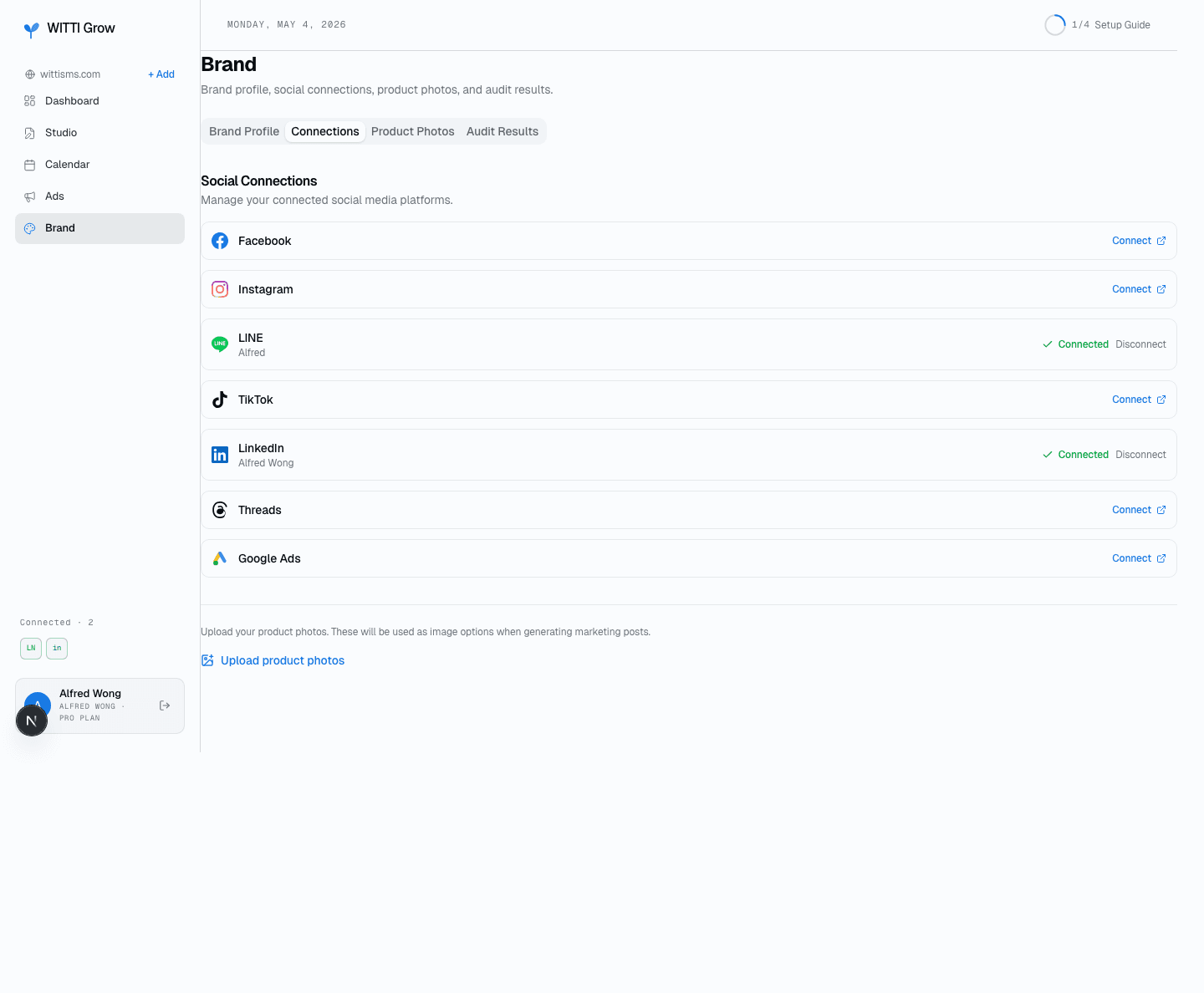
The platform-connections panel in the customer dashboard
Picking a page
After connecting, WittiGrow calls /rest/organizationAcls?q=roleAssignee&role=ADMINISTRATOR once to enumerate the member's admin Pages, then shows a picker beneath the LinkedIn connection row: Personal Profile, plus one row per Company or Showcase Page the member administers. The member's selection is saved per-project; every subsequent post publishes to the chosen Page.
The publishing flow
Posts originate inside WittiGrow — the customer reviews and approves them in the Studio tab before they are sent. On approval, WittiGrow calls POST https://api.linkedin.com/rest/posts with the selected Page (or the member's personal URN) as the author. Image posts use the standard two-step /rest/images?action=initializeUpload → binary upload → post flow. No posts are scheduled or published without explicit customer approval.
Safeguards
- Every post is reviewed and approved by the customer before WittiGrow calls the LinkedIn API.
- WittiGrow never auto-likes, auto-comments, auto-follows, or auto-connects.
- Every API call is logged with timestamp, endpoint, and result.
- All API calls are customer-initiated. No background polling beyond the one-time page enumeration at connect time and on-demand post-status refresh.
- Members can revoke access from linkedin.com/psettings/permitted-services at any time. WittiGrow also offers an in-app Disconnect button that deletes our copy of the tokens.
Customer ownership
Members always operate their own LinkedIn account and post to their own Company or Showcase Pages. WittiGrow does not aggregate, resell, or otherwise expose LinkedIn data outside the member's own account.
Home · Pricing · Privacy · Terms · Free audit