Google Ads API Integration
Google Ads, from inside WittiGrow
WittiGrow is a marketing platform for small businesses in Hong Kong. We use the Google Ads API so you can build, run and stop Google Search campaigns in your own Google Ads account from the WittiGrow dashboard. This page states exactly what that lets us do to your account.
What we use the API for
Everything below happens inside the Google Ads account you selected when you connected, using your own billing. WittiGrow does not run ads from an internal manager account on your behalf.
- Account discovery — after you connect, we list the Google Ads customers your signed-in Google user can access, and read each one's name, currency, time zone and manager (MCC) flag, so you can pick the right account and we never write to a manager account by mistake.
- Campaign creation — one Search campaign per launch, together with its daily budget, location targeting, one ad group per audience you selected, a Responsive Search Ad in each, and its keywords. The campaign, ad groups and ads are all created
PAUSED. - Turning campaigns and ads on and off — from the WittiGrow dashboard you can enable or pause a campaign, an ad group, or an individual ad. See the section below.
- Removing ads and campaigns — you can remove an individual ad, or an entire campaign, from the WittiGrow dashboard. See the section below.
- Reading performance and settings — campaign, ad group and ad status, budgets, live ad copy and keywords, and up to roughly 90 days of daily performance figures (impressions, clicks, cost, conversions), so the dashboard reflects your real account rather than what we last wrote to it.
- Keyword research — we call Google's keyword planning service to suggest keywords and bid estimates while you are drafting a campaign.
What WittiGrow can change in your account
This is the full list. Every one of these is triggered by you clicking something in WittiGrow — none of them run on a schedule or without your action.
- Create a campaign, its budget, its location targeting, its ad groups, its Responsive Search Ads and its keywords — always paused.
- Enable a campaign. Because a campaign cannot serve while its children are paused, enabling a campaign in WittiGrow also enables its ad groups and its ads. This starts spending your budget. It is a single toggle and there is no confirmation step.
- Pause a campaign, an ad group or an individual ad. Also a single click.
- Enable a single ad whose parent ad group or campaign is paused. We do not switch the parents on silently — we tell you the parents are paused and ask you first.
- Remove an individual ad, or an entire campaign. See directly below.
WittiGrow can delete campaigns in your Google Ads account
The WittiGrow campaign list has a Delete action. It sends the Google Ads API remove operation for that campaign, which sets the campaign's status to REMOVED in your account. There is also a bulk version that removes several campaigns at once.
- It is permanent. A removed campaign cannot be re-enabled — not from WittiGrow, and not from Google Ads. Its historical statistics remain visible in your Google Ads reporting.
- It also deletes our own record of that campaign, including the ad copy and keywords we stored for it. If the removal in Google Ads fails, we keep our record rather than losing track of a live campaign.
- It is behind a confirmation dialog, and so is removing an individual ad. Enabling and pausing are not — those are reversible.
- If you only want a campaign to stop spending, use Pause instead. Pausing is fully reversible.
WittiGrow never removes a campaign or an ad on its own initiative, on a schedule, or as part of any automated process. A person has to click Delete and then confirm it.
What runs without you clicking anything
Two things read your Google Ads account automatically. Both are read-only:
- A weekly account check (Mondays, 09:00 Hong Kong time) that reads campaign status and performance so the dashboard is current when you next open it.
- Opening the Ads page in WittiGrow, which re-reads status and performance for the campaigns we know about — including changes you made directly in Google Ads, such as enabling a campaign yourself.
Nothing in WittiGrow creates, changes, enables, pauses or removes anything in your Google Ads account except in direct response to something you clicked. There are no autonomous campaign changes, no automatic budget changes, and no auto-pause.
OAuth scope
One scope only: https://www.googleapis.com/auth/adwords.
Google Ads publishes no narrower scope. The same single scope covers reading your account and creating, changing and removing campaigns, ad groups, ads and keywords in it — which is exactly why the sections above spell out what we actually do with it.
We request no Drive, Gmail, Cloud Platform or profile scopes.
What we store
- Your OAuth access and refresh tokens, in our database on Google Cloud.
- Your Google Ads customer ID, account name, currency and manager (MCC) flag.
- For each campaign WittiGrow created: its resource names, the ad headlines, descriptions and keywords we generated, the daily budget you set, and its last known status.
We never store billing information or payment methods, and we do not send your Google Ads account data to any AI model.
Disconnecting in Settings → Platform Connections deletes the stored tokens and stops all further Google Ads API access. It does not remove WittiGrow from your Google account's authorised apps — to revoke the grant itself, use myaccount.google.com/permissions. Campaigns already created stay in your Google Ads account, under your control.
How customers connect
From the WittiGrow dashboard, under Settings → Platform Connections:
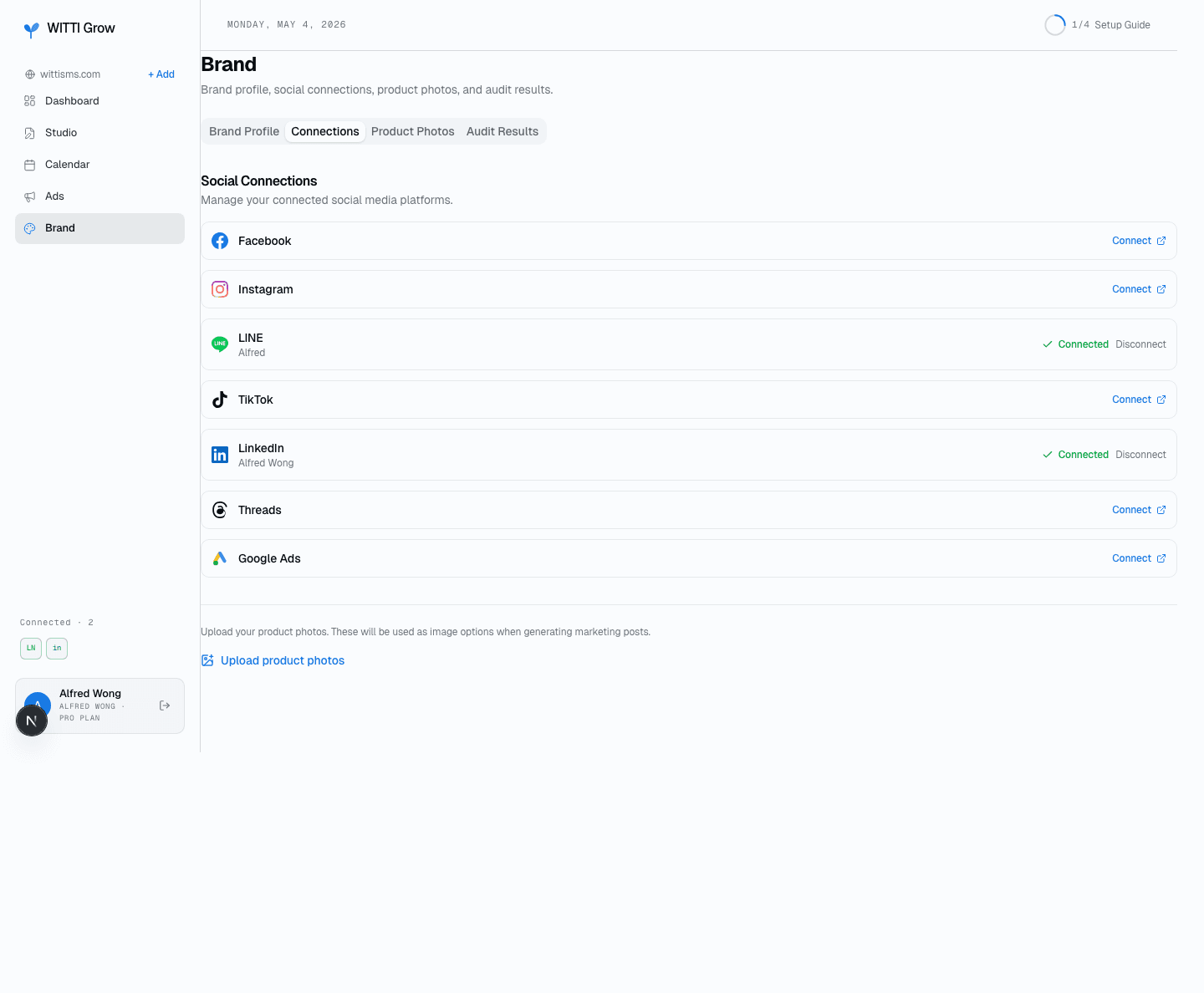
The platform-connections panel in the customer dashboard
The ad-creation flow
After connecting, you open the Google Ads wizard from the Ads tab. WittiGrow proposes audiences derived from your own website and product analysis, and you pick which ones to turn into ad groups. For each one, WittiGrow drafts Responsive Search Ad headlines, descriptions and keywords, which you review and can edit inline before confirming. On confirmation we create one Search campaign in your account — paused, with the daily budget you set. No impressions are served and no money is spent until the campaign is enabled, either by you in Google Ads or by you using the toggle in WittiGrow.
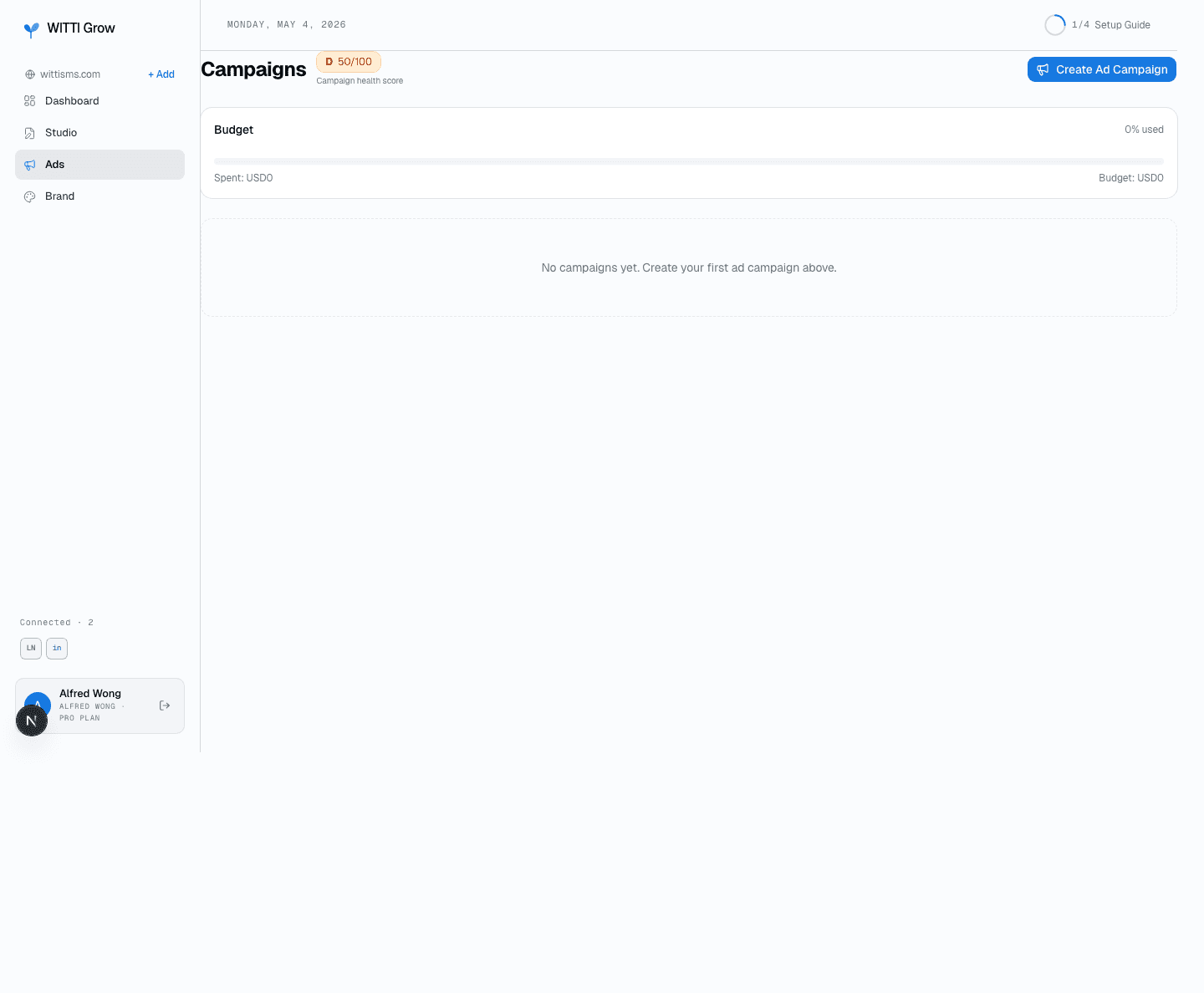
The Ads page in the customer dashboard — entry point to the ad-creation wizard
Safeguards
- Everything WittiGrow creates starts
PAUSED. Nothing we create begins spending on its own. - You set the daily budget at creation. WittiGrow has no code path that raises, lowers or otherwise changes a Google Ads budget afterwards — a different budget means a new, customer-initiated launch.
- Every write to your account — create, enable, pause, remove — is triggered by an explicit click by a signed-in member of your workspace. Nothing is written on a schedule.
- The two destructive actions, removing an ad and removing a campaign, are behind confirmation dialogs.
- Enabling a single ad whose parent is paused asks you before touching the parent, rather than switching a campaign on as a side effect.
- API usage operates under whatever developer-token access tier Google has approved for the account, and within Google's published quotas for that tier.
Customer ownership
You always operate your own Google Ads account with your own billing. WittiGrow does not run ads from an internal MCC on behalf of customers — every campaign lives in your account, and you can change or remove any of it directly in Google Ads at any time, with or without WittiGrow.
Home · Pricing · Privacy · Terms · Free audit